ICT Everything v2
Sessions, opens, gaps and SMT in one TradingView indicator. Switch off anything you don't trade.
- Status
- Live
- Platform
- TradingView
- License
- MPL 2.0, open source
- Updated
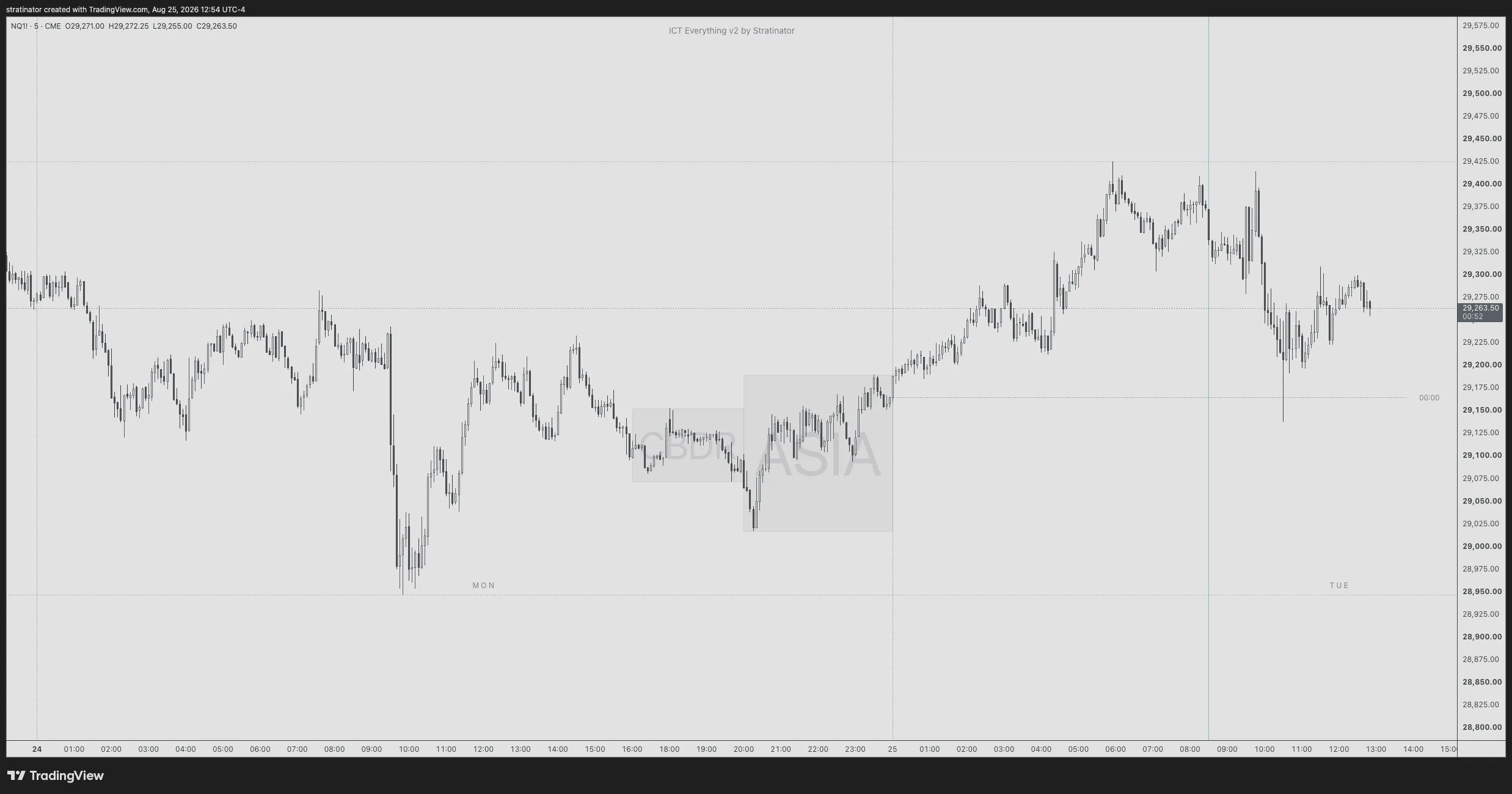
- The two grey boxes: the CBDR range and the Asia range before midnight.
- The dotted line from 00:00: the midnight open.
- The thin blue vertical line at 08:30 New York time.
Try it: switch the layers
Same idea as the indicator settings. Turn off anything you don't trade.
What it draws
One study with three jobs: time, levels and displacement.
Sessions and killzones: London, New York, Asia, CBDR and FLOUT ranges
London, New York, London Close, afternoon, Asia and custom sessions. CBDR, FLOUT and Asia ranges with standard deviation extensions you can set per range. Day separators, and New York time that follows daylight saving time.
Opening prices: midnight, New York, weekly and monthly opens
Midnight, New York, equities, afternoon, weekly and monthly opens, with weekly and monthly on the real reopen, including on NQ. Prior week and month highs and lows.
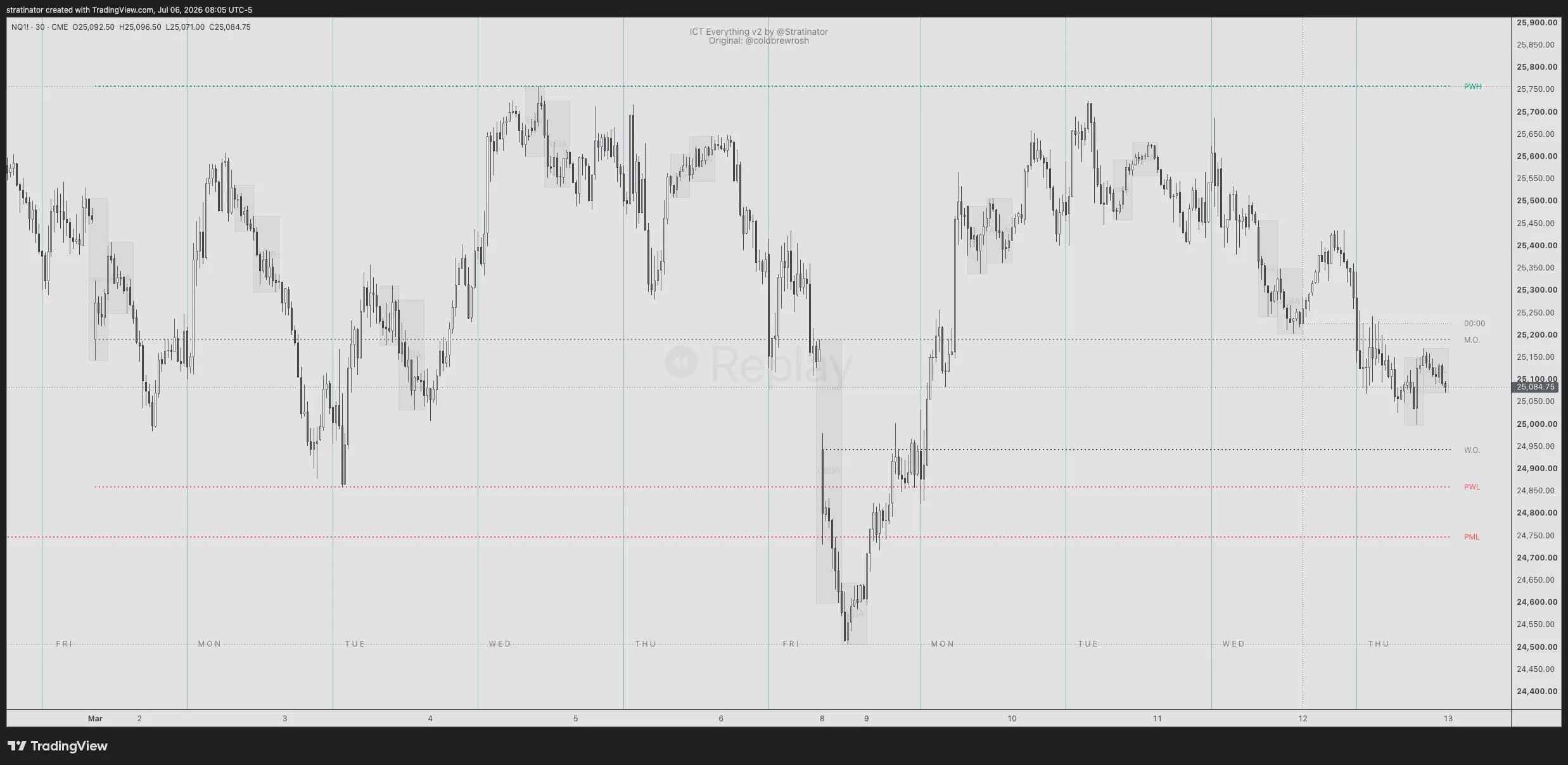
- The W.O. line starts at the Sunday 8 March reopen.
- The M.O. line starts at the Sunday 1 March reopen.
- The green dotted PWH line is the prior week high.
Fair value gaps (FVG) with consequent encroachment
Mechanical fair value gaps with their consequent encroachment. A wick into a gap counts as a touch; the gap is filled only when a candle body closes through it.
Opening gaps: NWOG and NDOG with midpoints
New week and new day opening gaps, with optional midpoint lines.
SMT divergence on confirmed pivots
SMT against a second market, compared over the same swing window on confirmed pivots.
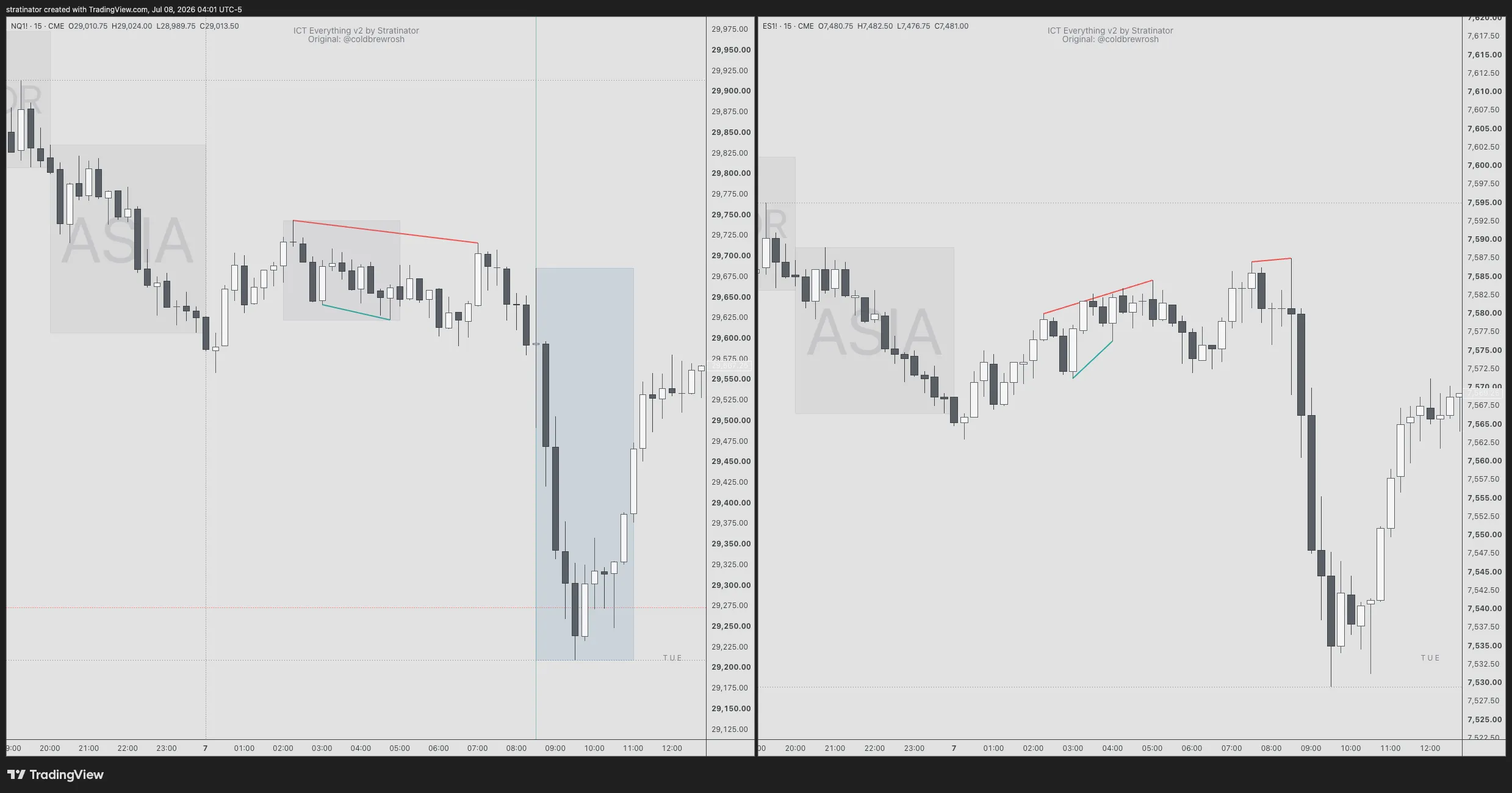
- Left, NQ: the red line joins two swing highs, and the second is lower.
- Right, ES: the red line joins two swing highs, and the second is higher. That disagreement is the SMT.
Alerts on confirmed bars
Alerts fire on candle close, so they don’t disappear while the candle is still forming.
How to add it on TradingView
Open a chart, click Indicators and search for “ICT Everything v2”. Add it, then star it so it stays in your Favorites.
Settings
- Drawings hide above a timeframe ceiling, 31 minutes by default. It’s built for intraday charts.
- The default timezone is New York and follows daylight saving time. Fixed UTC offsets are there too, but they don’t follow daylight saving time.
- Most modules are off by default. Turn on only what you use.
- SMT needs a correlated comparison symbol with similar hours, such as ES when you’re on NQ.
- TradingView alerts keep the script version and settings they were created with. After a script update, recreate your alerts.
Against the original
ICT Everything v2 continues ICT Everything by coldbrewrosh, which was last updated in March 2023. Credit stays in the source.
| Original, 2023 | v2, maintained since July 2026 |
|---|---|
| Session boxes drifted across brokers and timezones | Sessions sit on the window you set |
| Weekly and monthly opens sat on the wrong candle on NQ | Opens mark the actual reopen: Sunday on NQ, not Tuesday |
| No fair value gaps, no opening gaps, no SMT | FVGs, NWOG, NDOG, prior week and month, SMT |
| No alerts | Alerts on candle close. They don’t un-happen |
Not affiliated with Michael J. Huddleston (Inner Circle Trader), TradingView or NinjaTrader. “ICT” names a set of trading concepts. Nothing here is financial advice. Trading futures can lose more than you deposit.